PoolKit - Actor, Widget & FX Pooling for Unreal Engine 5
A downloadable tool
Stop spawning and destroying the same things over and over. PoolKit reuses them, and needs no setup.
Replace Spawn Actor from Class with Spawn Actor From Pool and Destroy Actor with Release Actor To Pool. There's no manager actor to place, no base class to inherit and no interface to implement. Reused actors behave like freshly spawned ones: visibility, collision, tick, Auto Activate components and Projectile Movement restart automatically; timers, Delay nodes, movement and physics stop on release.
Pool more than actors. Acquire and release UMG widgets (damage numbers, hit markers, list items): PoolKit removes them from the viewport or panel, stops animations and resets them, and keeps their Slate widget so reuse is cheap. Fire-and-forget sounds and Niagara systems return to their pool when they finish. Decals (with fade-out and a "keep the newest 100 bullet holes" cap) and static mesh components are pooled per asset.
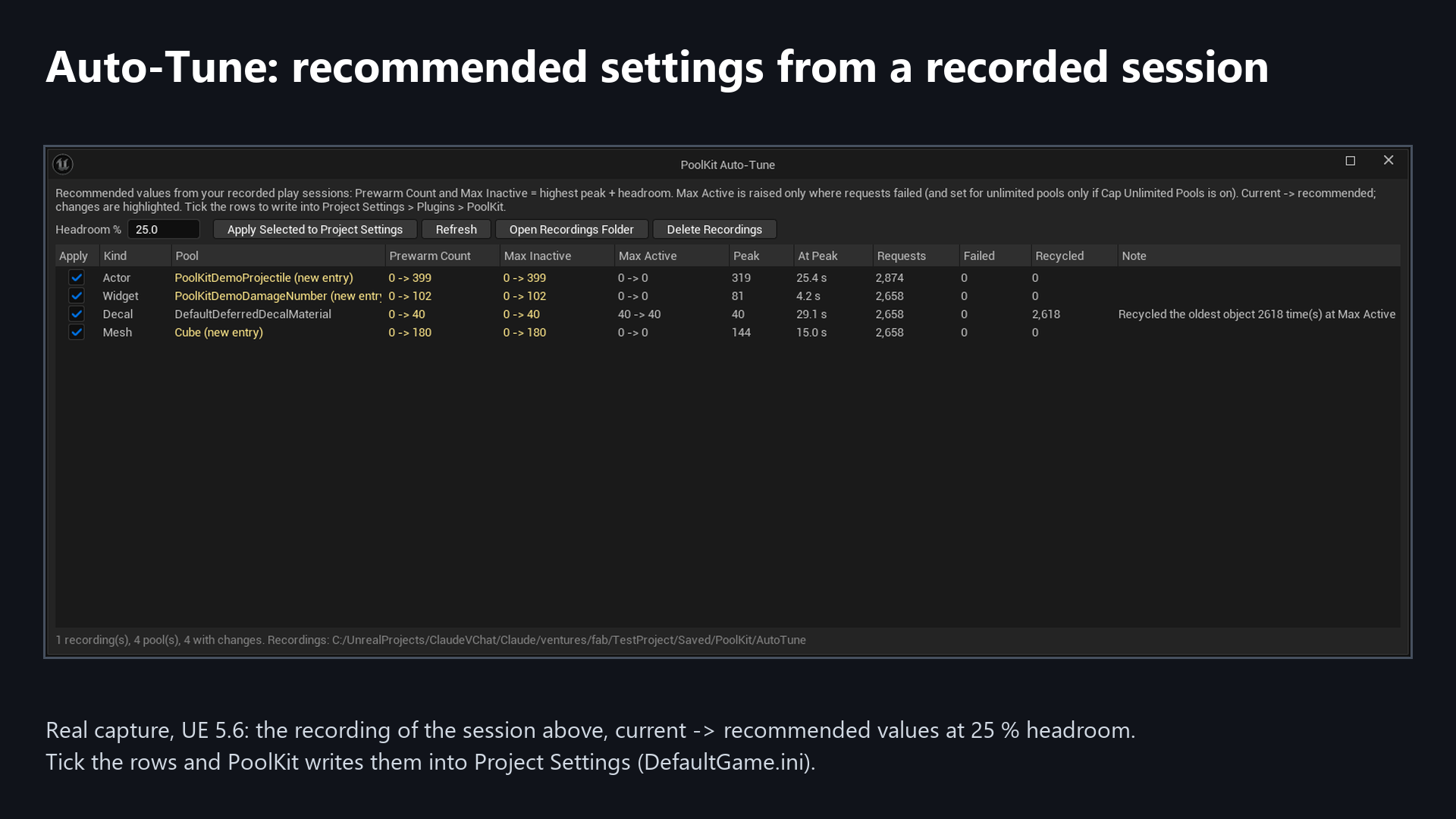
Auto-tune. Just play. PoolKit records each pool's peak, time near the peak, requests, failures and recycles in every Play In Editor session, then shows recommended Prewarm Count, Max Inactive and Max Active next to your current Project Settings, with a headroom slider. Tick the rows you want and it writes them for you.
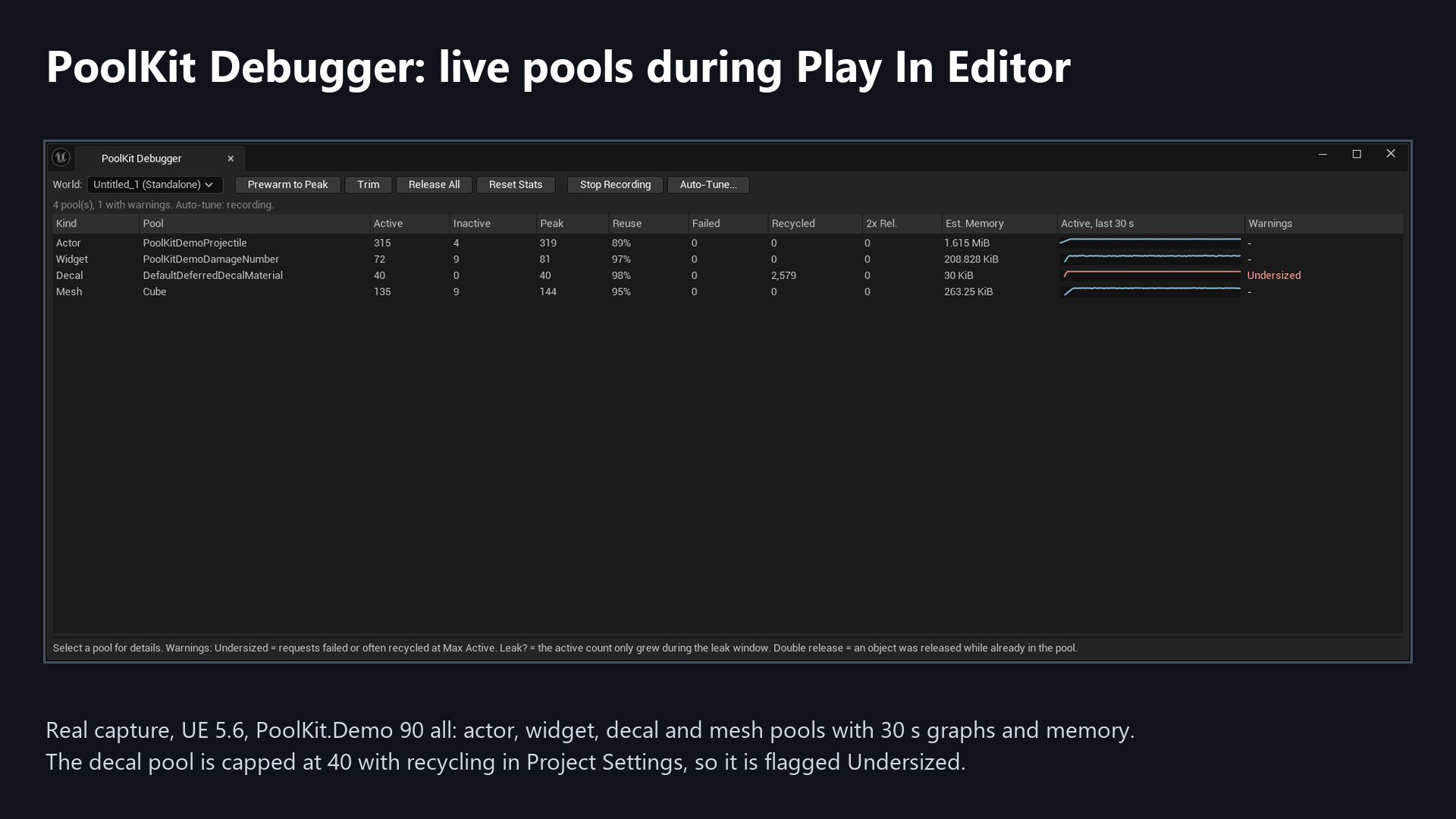
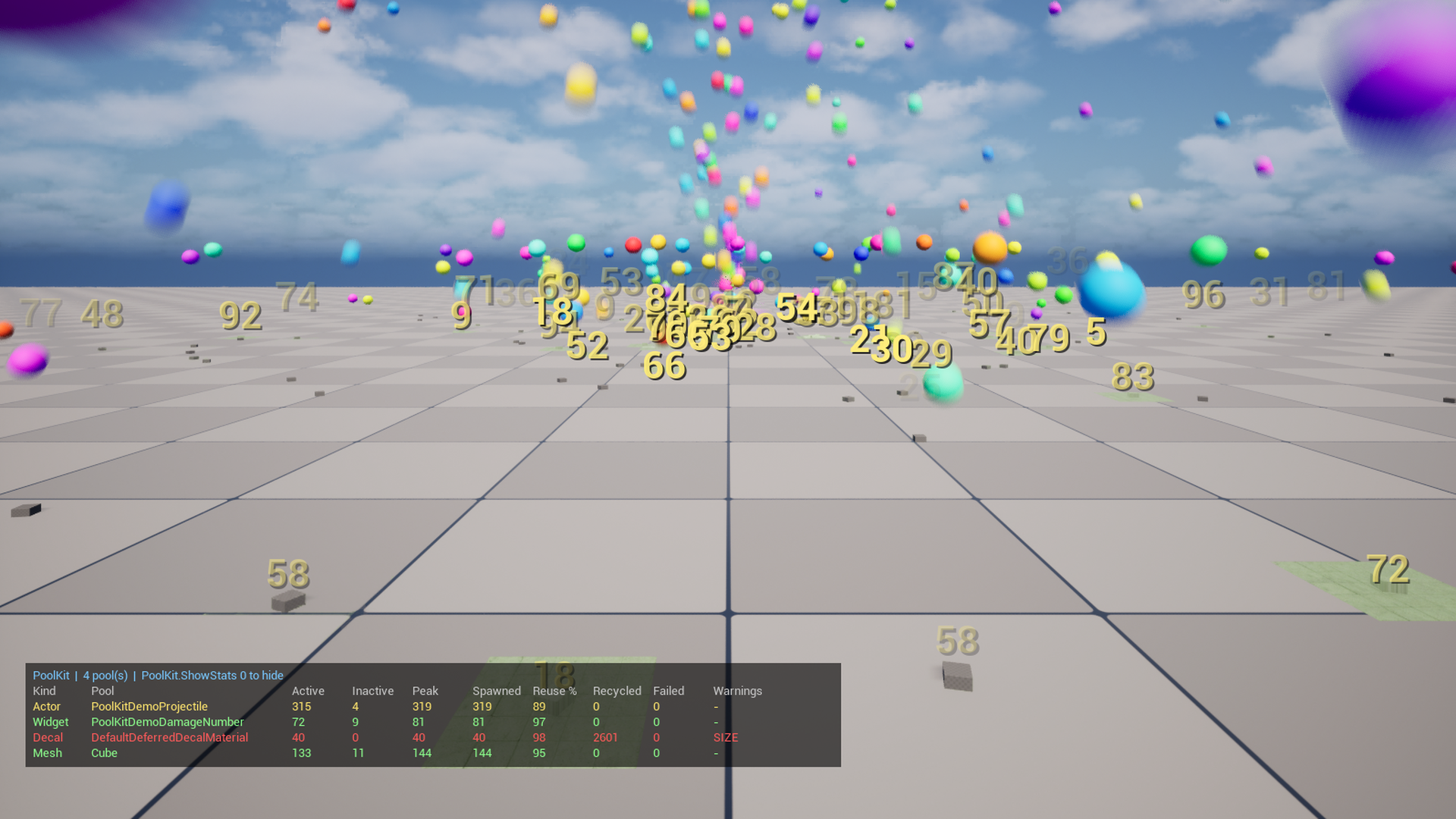
See your pools. The PoolKit Debugger tab shows every pool during PIE: active, inactive, peak, reuse %, failed, recycled, double releases, estimated memory, a 30-second graph and warnings for undersized pools, likely leaks and double releases. Prewarm, trim or release from the window. An in-game overlay and console commands show the same data.
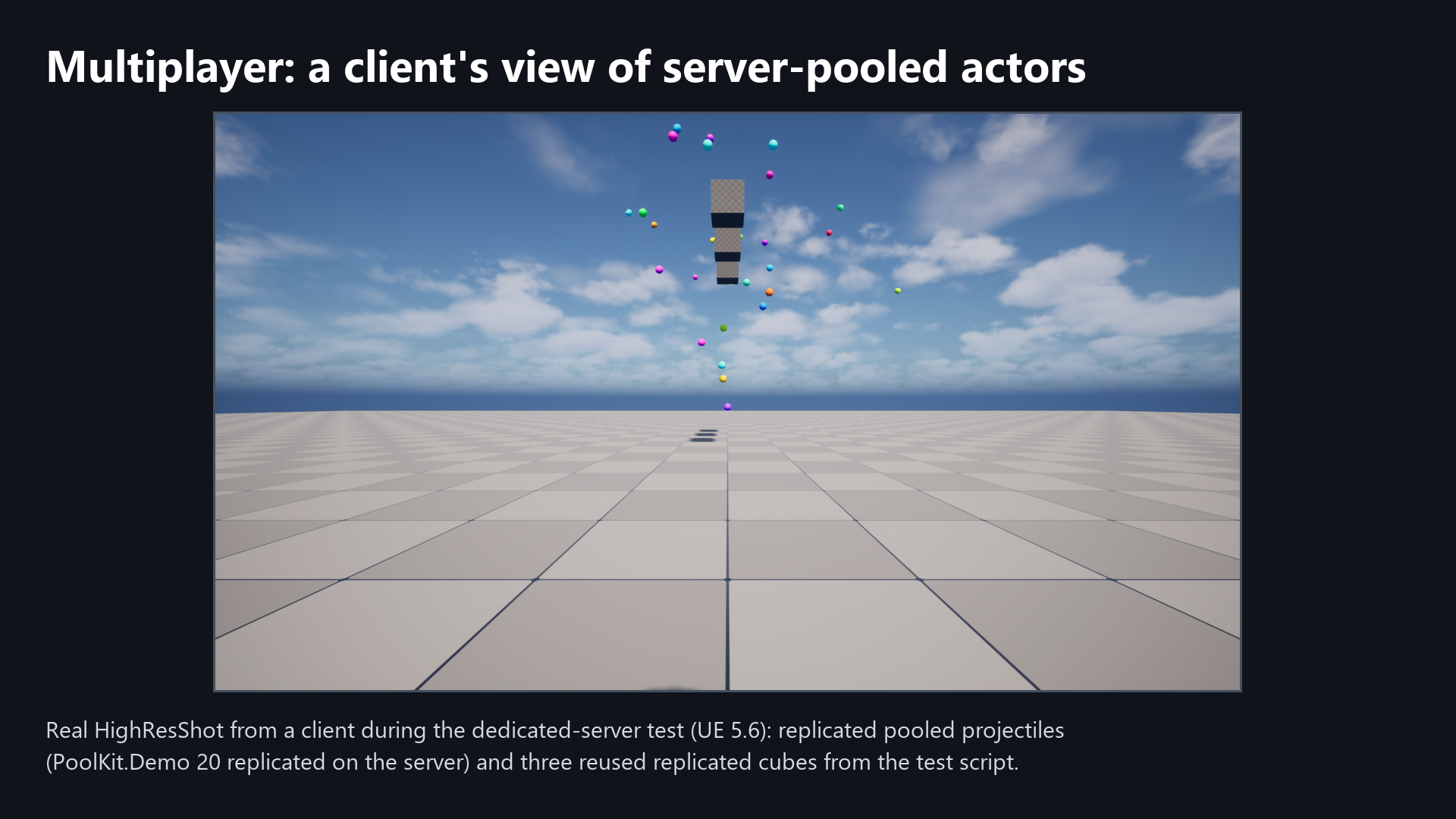
Multiplayer. Replicated actors are pooled server-authoritatively on listen and dedicated servers. Released actors are hidden and put to sleep (net dormancy); clients deactivate their copy, and on reuse teleport and reset it, so clients don't see ghosts at old positions. Late joiners don't receive inactive pooled actors, and clients can't release or destroy the server's pooled actors. Tested on UE 5.4, 5.5, 5.6 and 5.7, each with a dedicated server and with a listen server, and two clients (one joining late), all separate processes on one PC over localhost: 8 of 8 test runs passed all 40 automated checks (pooled spawn and return replicate to both clients, no ghosts at old positions, clients can't release server actors). Real network latency and packet loss, Iris and Replication Graph were not tested. A listen server should be frame-rate capped (see the README). Client-side cosmetic pooling works too. The README lists exactly what is and isn't supported.
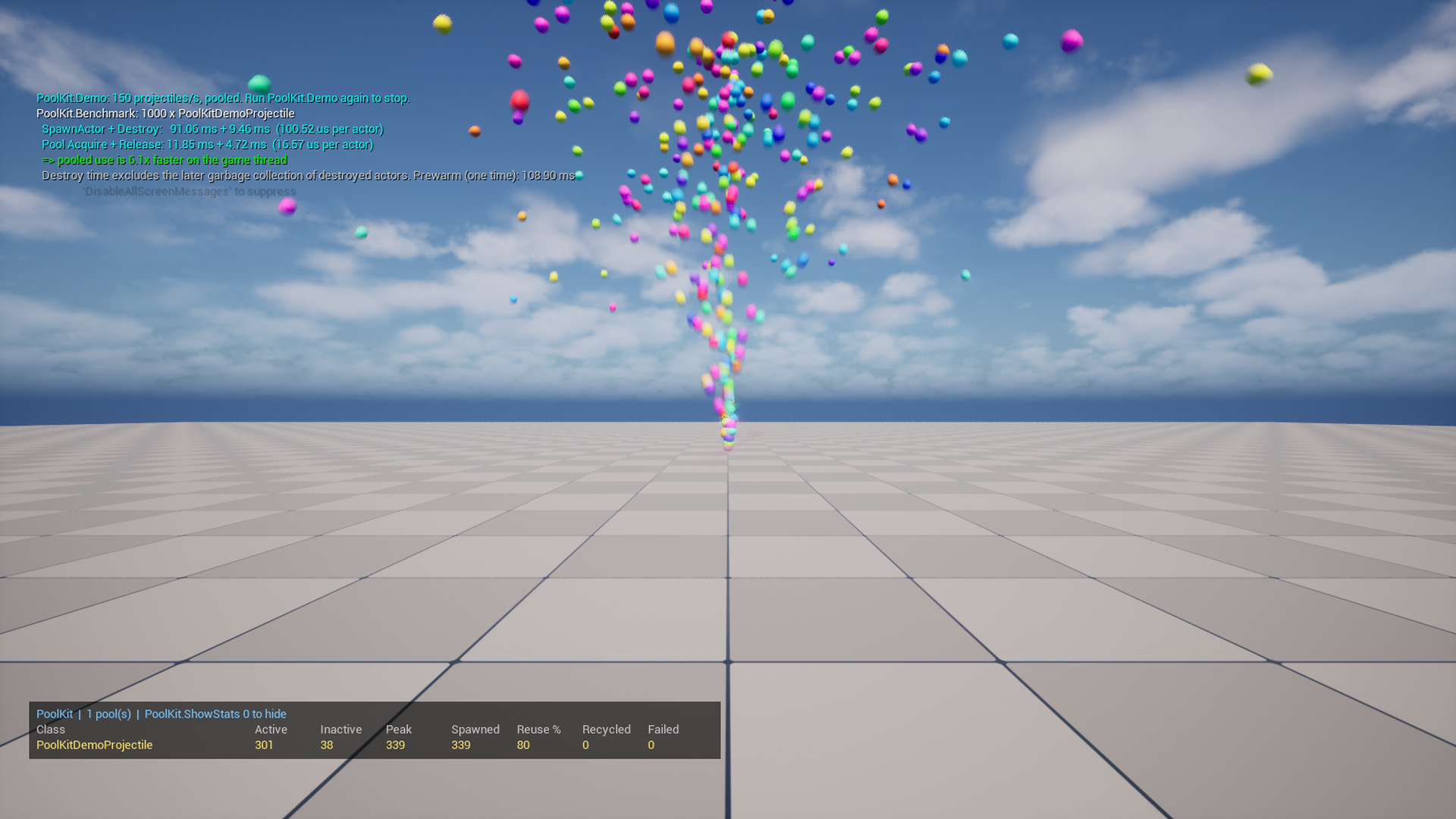
Try it with no content: press Play and type PoolKit.Demo 90 all for a fountain of pooled projectiles with pooled decals, meshes and damage numbers, then open Tools > Debug > PoolKit Debugger. PoolKit.Benchmark times SpawnActor + Destroy against pooling on your own machine. On our test PC (Ryzen 9 7950X3D, RTX 4090) with 1,000 demo projectiles, pooled Acquire + Release used about one sixth of the game-thread time of SpawnActor + Destroy: median 6.1x, individual runs 4.7x to 6.8x (20 runs on UE 5.6 and 5.7). Garbage collection of destroyed actors is not counted. Your numbers depend on your actors and hardware.
Includes full documentation, 27 automation tests you can run in Session Frontend (27 of 27 pass on UE 5.4 to 5.8), and the full C++ source, written to follow Epic's coding standard (checked with our own scripts and spot checks, not a full manual review).
Engine versions: 5.4, 5.5, 5.6, 5.7 and 5.8. On 5.8 (tested on 5.8.3) the plugin builds and the 27 automation tests pass; the multi-process multiplayer test (server plus two clients, all on one PC over localhost) was run on 5.4-5.8; on 5.8.3 both the dedicated and the listen server passed all 40 checks. Download the zip for your engine version and put the PoolKit folder in your project's Plugins folder. It's a source plugin, so you need a C++ project with Visual Studio (or Rider) set up. A Blueprint-only project becomes one when you add any C++ class (Tools > New C++ Class). Tested on Win64.
Documentation and changelog: github.com/AusomeA/cvc-poolkit-docs
Support: post a comment on this page. Bug reports that include the output of PoolKit.Stats get looked at first.
Purchase
In order to download this tool you must purchase it at or above the minimum price of $17.99 USD. You will get access to the following files:
Leave a comment
Log in with itch.io to leave a comment.